
Trench Watcher
Trench Watcher follows Solana wallet addresses. Mint alerts are on by default. You can also opt in to buy and sell alerts and incoming and outgoing transfer alerts for each wallet. The default limit is 10 wallet addresses; your panel shows your current limit.
Start tracking
Section titled “Start tracking”- Send
/watcherin a private chat. - Tap Add and reply with the Solana wallet address you want to watch. Use a wallet address, not a token address or an Ethereum
0x…address. - Follow the prompts to add a label and choose alerts, then tap Save. The setup message changes to Wallet now being watched!, with the saved address, label, and alert choices. A fresh Watcher list shows the wallet you added.
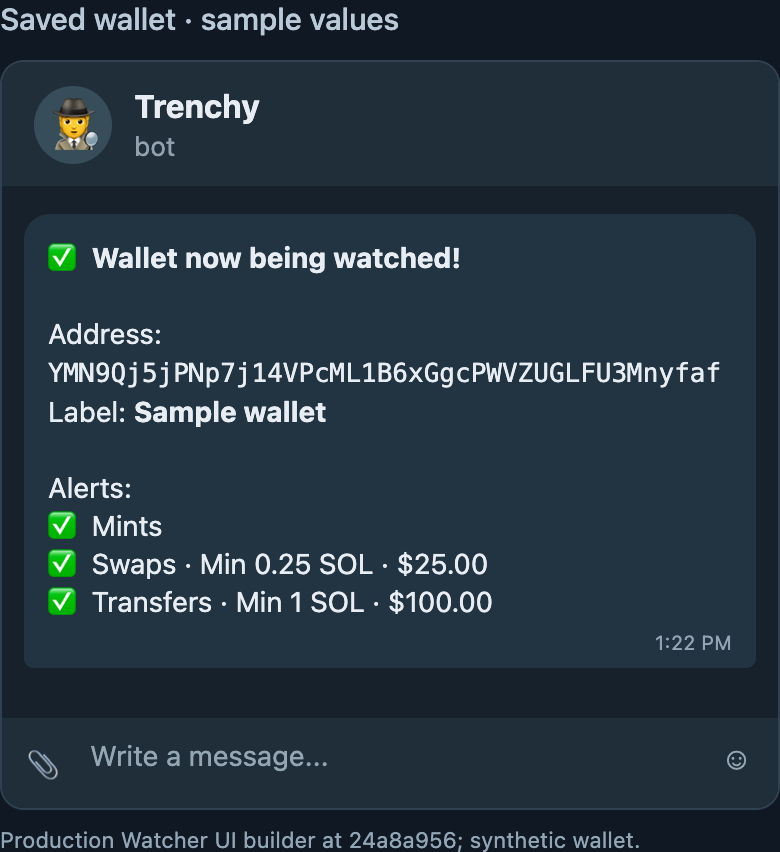
You can also send /w <wallet> or tap Track Dev from a report or Deployer Intelligence to open the Watcher flow for that address.
Manage your watchlist
Section titled “Manage your watchlist”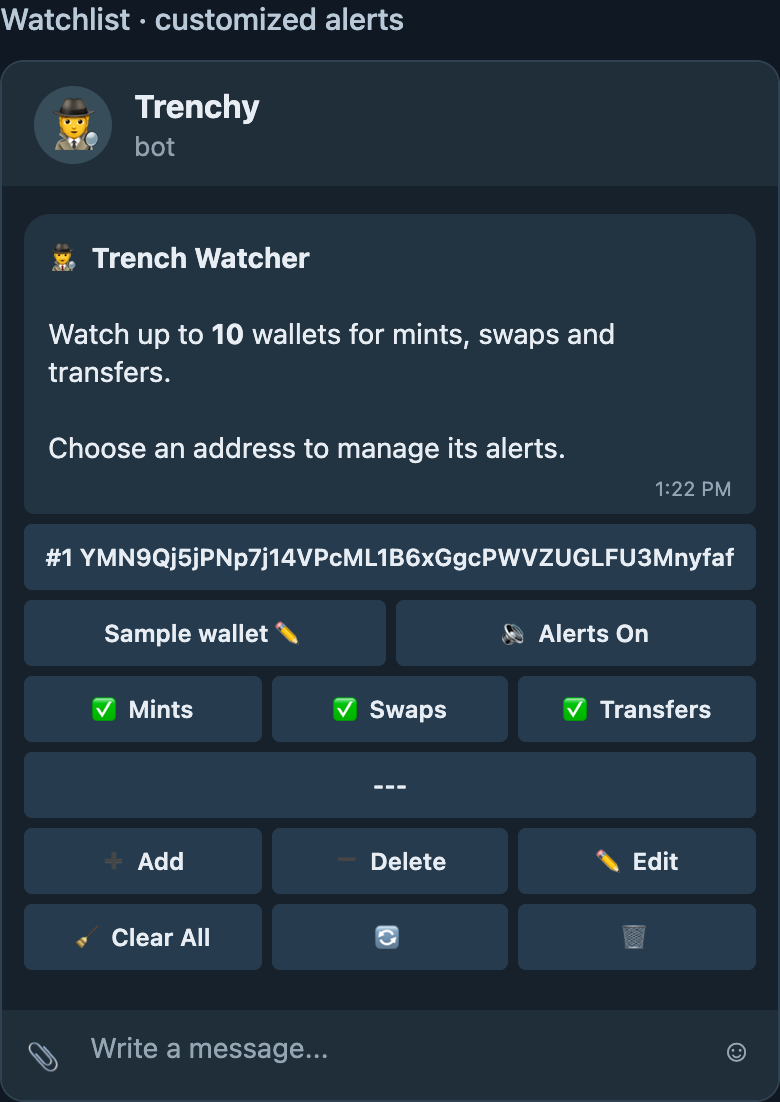
Tap an address to open its details, or tap its label’s ✏️ button to change its name. The watchlist also shows alert status and category buttons.
| Control | What it does |
|---|---|
| Add | Add another wallet to your watchlist. |
| Delete | Select a wallet to stop tracking. |
| Edit / ✏️ | Change a wallet’s label. |
| Mints / Swaps / Transfers | Turn each alert category on or off for that wallet. Swaps covers buys and sells; Transfers covers incoming and outgoing transfers. |
| Alerts On / Off | Mute or unmute all alerts for that wallet without removing it. |
| Clear All | Clear the watchlist after confirmation. |
| 🔄 / 🗑 | Refresh the panel or close its message. Closing the message does not stop tracking. |
Wallet details and labels
Section titled “Wallet details and labels”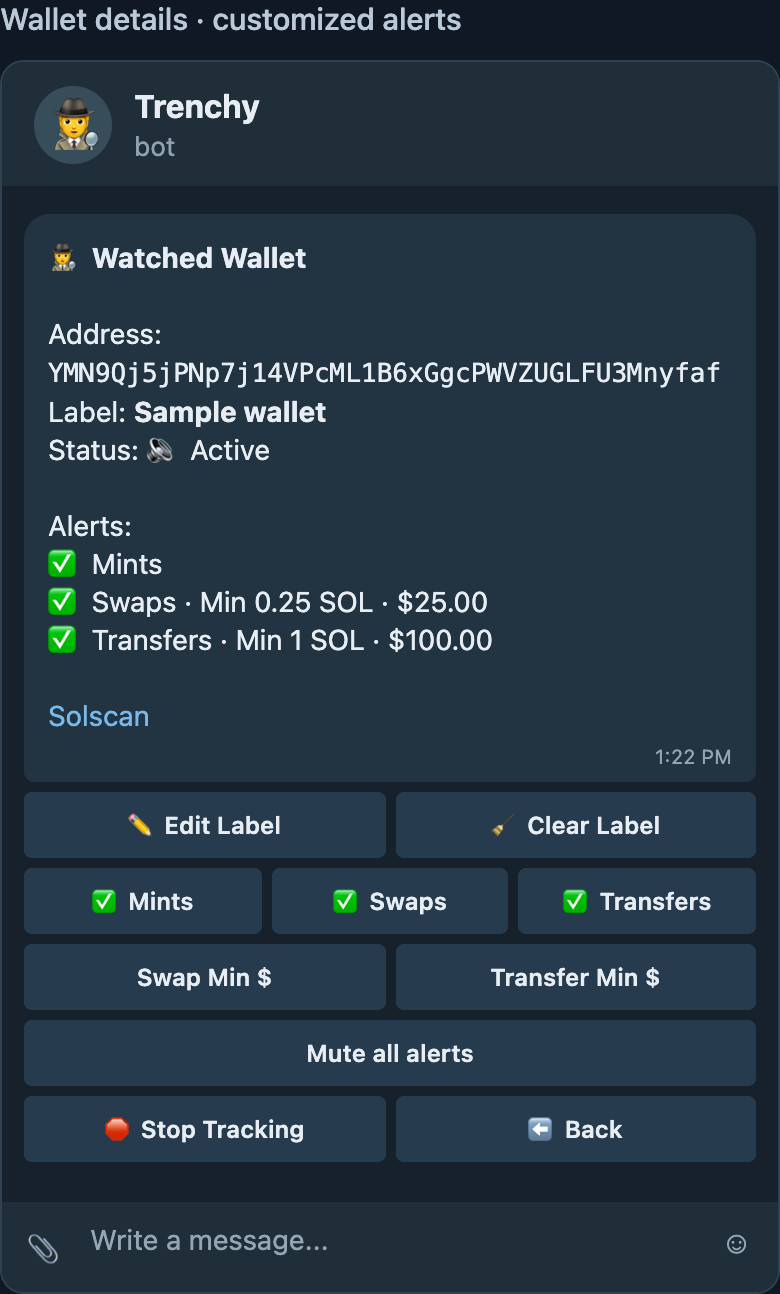
The detail view shows the wallet’s address, label, alert status, and Solscan link. Edit Label changes its name; Clear Label removes the name while keeping the wallet tracked. Mute all alerts pauses notifications for that wallet, and Stop Tracking removes it from your watchlist. Neither action changes the wallet or moves funds.
Swap Min $ and Transfer Min $ let you set a minimum in SOL. The detail view shows its approximate dollar value using a current SOL price. Trenchy also applies a baseline above $1 in value; a custom minimum is an additional filter. A lower minimum can mean more alerts.
For exceptionally active addresses, swap and transfer alerts may be disabled; mint alerts can remain available. The wallet detail view tells you when this applies.
When an alert arrives
Section titled “When an alert arrives”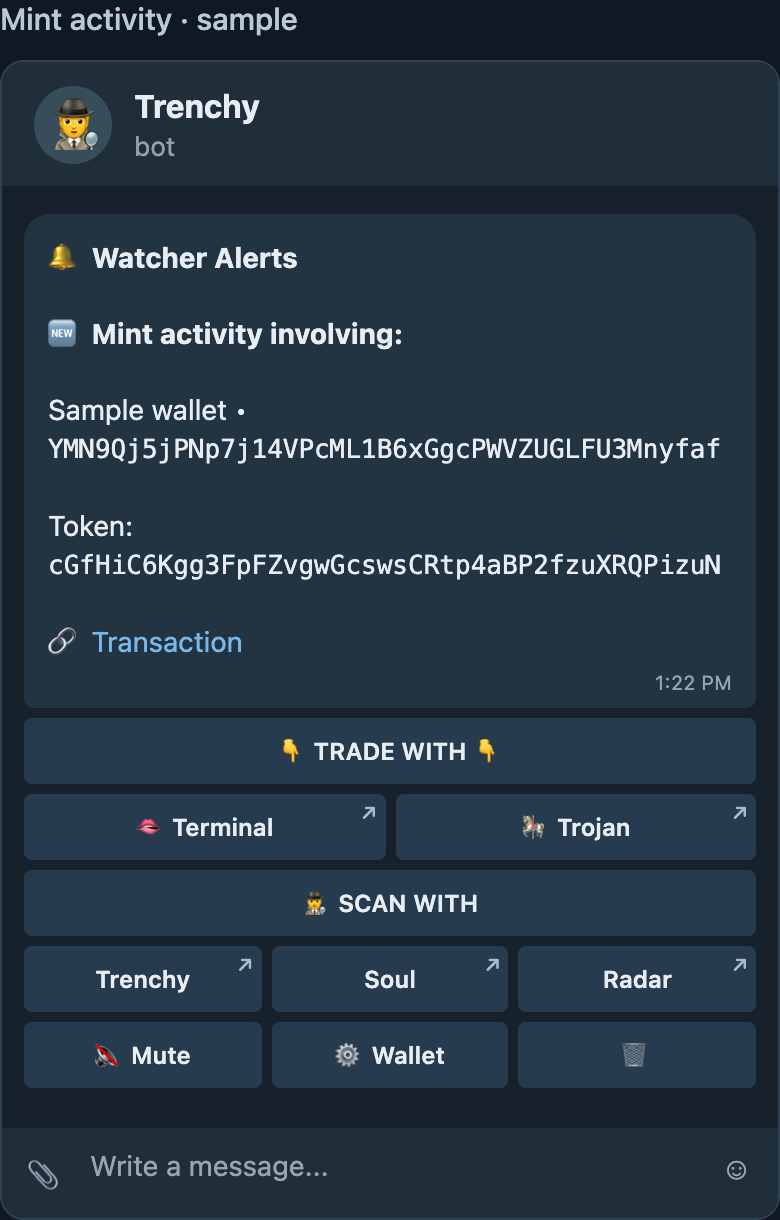
A mint alert identifies a token mint transaction involving the watched wallet. It does not by itself establish that the wallet created the project or controls the token. Open the Transaction link to inspect the evidence, or use Scan with → Trenchy to request a report. The other scan and trade links open the named services.
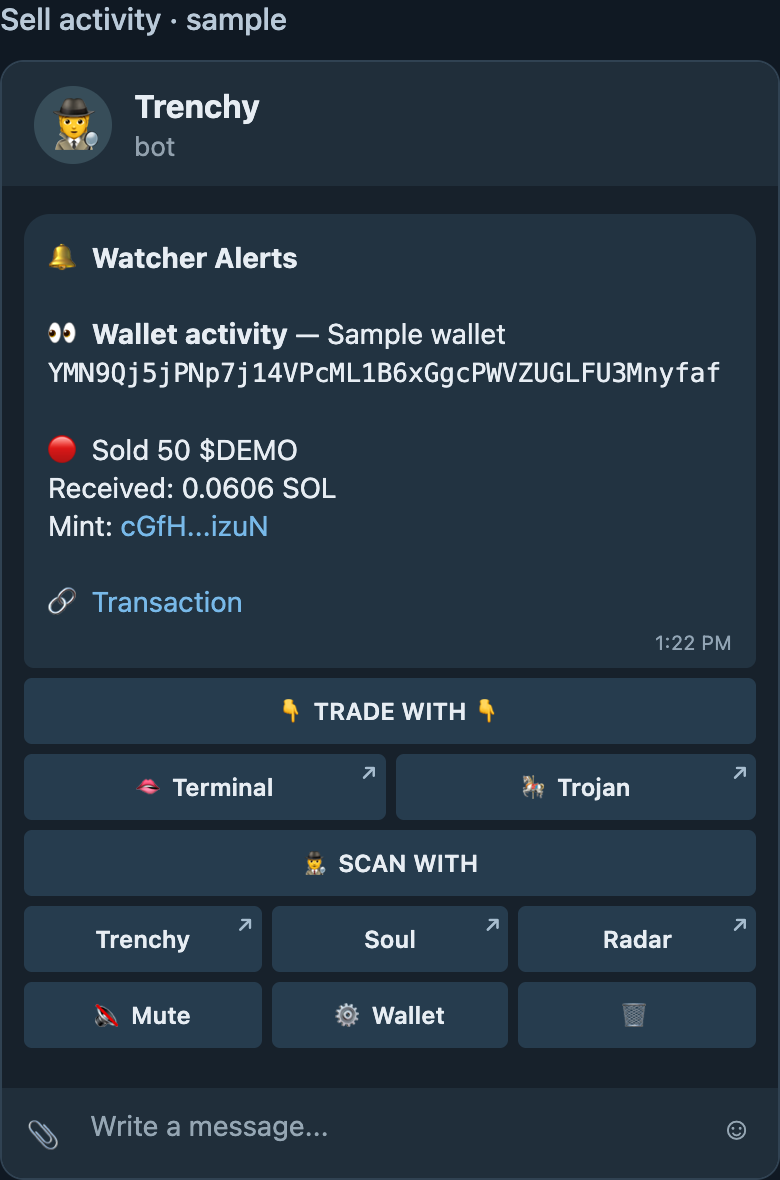
If you turn on swap or transfer alerts, an alert can show a detected buy, sell, or transfer and link to its transaction. The Mute button pauses alerts for the watched wallet; Wallet opens its settings, where you can change categories, minimums, or stop tracking. The 🗑 button only closes the alert message. Alerts that arrive close together may be combined into one message.
Watcher reports activity it detects, sometimes after a delay. It does not guarantee an alert for every transaction. After downtime or a reconnect, recovery checks a bounded history for known or current token accounts, so coverage can be partial. A newly minted token may not have liquidity or complete scan data yet; inspect the transaction and token before acting.